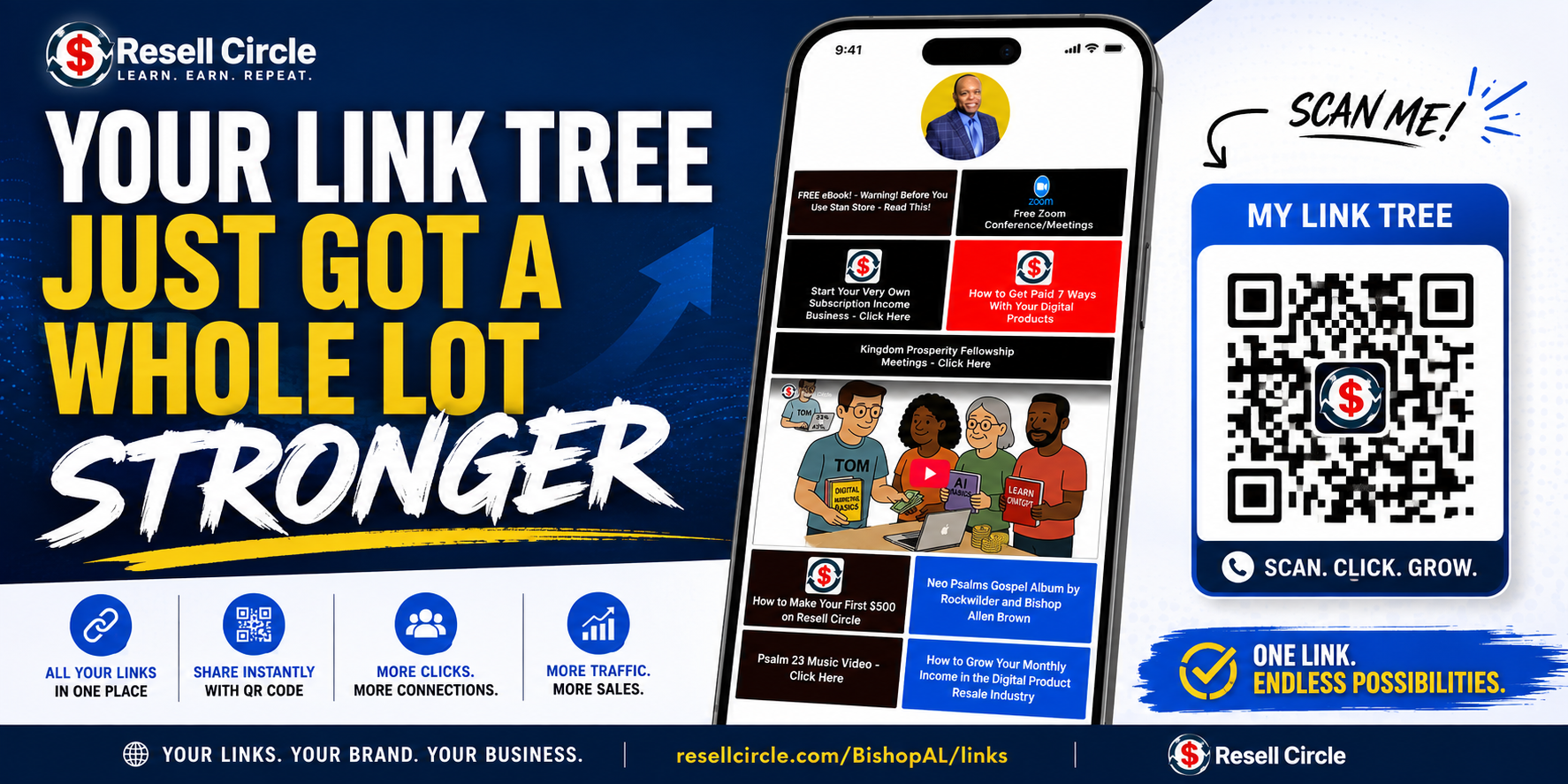
We've been building behind the scenes, and your Link Tree — that one page that holds everything you promote — just picked up six new tools. Let me walk you through each one and, more importantly, how to actually use it.
Your Own QR Code
Go to Link Tree and look at the top of the page. You'll see a blue QR Code button. Click it and you can download your code — PNG for anything on a screen, SVG for anything you're printing.
Now understand what this really is. Your Link Tree is your referral link. So when somebody scans that code, they're credited to you for the next 30 days — same as if they clicked your link.
That opens doors a link can't:
Hold it up on a livestream, or drop it in a Reel Put it on a flyer, a business card, a table at an event Show it on a Zoom call and let folks scan it right off the screen You can't click a link inside a video. But you can scan a code. Think about that for a minute.
Analytics — Finally, You Can See What's Working
There's a new Analytics button right next to the QR Code button.
It shows you how many people opened your page, how many were new faces, how many actually tapped a link, and how many came in from scanning your QR code. You can look at the last 7 days, 30 days, or 90.
Underneath that, every one of your links, ranked by taps. That list is where the gold is. You'll see which links people go for — and which ones nobody touches. When a link sits at zero, that's not a dead link, that's a link with the wrong name on it. Rewrite it, move it up the page, and watch what happens.
The New Grid Layout
Your links can now sit two across with the picture on top, instead of one long column of buttons. Go to Link Tree → Appearance, and change Page Layout to Grid. The preview on the right shows you exactly how it'll look before you save a thing.
One tip: grid shines when your links have pictures on them. Add an image to each link on its Edit screen and your page stops looking like a list and starts looking like a storefront.
Scheduled Links
Click Edit on any link and you'll find a Schedule section. Set a date for it to show up, a date for it to come down, or both.
Launching something Friday? Set it and go to bed. Running an offer that ends Sunday night? It takes itself down. No more logging in at midnight to hide a link.
Put a Lead Form Right On Your Page
Click Create Link and choose Lead Form from the dropdown. Pick which of your forms it points to, and what you want the button to say.
Everybody who fills it out shows up in My Lead Forms with their name, their email, and their answers — sitting there ready for you to follow up.
Make It Look Like Yours
Custom colors, fonts, and button styles are all under Appearance. And you can take the "Powered by ResellCircle" badge off the bottom, so the page is fully your brand.
Here's What I Want You To Hear
One page. Everything you promote. Tracked to you. And now you can put it on a flyer, on a livestream, on a business card — anywhere a person can point a phone.
The QR code is the piece most people are going to scroll right past, and it's the one I want you to touch tonight. Download it. Put it somewhere real. Then check your Analytics in a few days and see what came back.
Bring your questions to the Tuesday night meeting — I'm going to walk through every bit of this on screen so nobody gets left behind.
Let's go to work.
The Analytics, QR code, grid layout, scheduled links, and Lead Form button are Platinum features. If you're on Bronze, your Link Tree keeps working exactly as it does today — head to your subscription page to see what upgrading opens up.
Great upgrades! These new Link Tree tools give Platinum members several ways to strengthen their marketing:
QR Code — connect offline and video audiences directly to your Link Tree.
Analytics — track visits, clicks, QR scans, and link performance.
Grid Layout — turn your Link Tree into a more visual storefront.
Scheduled Links — automatically launch and remove promotions.
Lead Forms — capture names, emails, and prospect information directly from the page.
Brand Customization — personalize colors, fonts, buttons, and overall presentation.
Quick reminder: Before displaying QR codes in videos, livestreams, posts, or ads, check the rules of the individual social platform. Each platform may have different policies or restrictions regarding QR codes and promotional content.
Thank you, Bishop Al & ResellCircle team for continuing to add tools that help members market, track, and grow more effectively. Looking forward to Tuesday night’s walkthrough!
Put it on a flyer, business card, or table at an event
Show it during a Zoom presentation and let people scan it right off the screen
Add it to printed marketing materials anywhere someone can easily scan it
Important: Social media platforms have their own rules regarding QR codes and directing users off-platform. TikTok specifically prohibits displaying QR codes during LIVE, so always check the rules of the platform you're using before displaying your QR code.
I really like the scheduled-links feature! Being able to control when a link appears or comes down will make promoting limited-time offers much easier. I also love being able to choose the layout of the Link Tree and use images to make the page look more like a professional storefront.
The extra analytics are awesome because we can see which links are getting attention, how visitors found the page, and what is actually working. The personal QR code, lead-form button, and added branding options make this an even stronger marketing tool. These updates give us more ways to build our Link Tree, collect leads, and market smarter! 👏🏾🔥






Comments
17 Jump to latestYour Link Tree Just Got a Whole Lot Stronger
Family, I've got something for you.
We've been building behind the scenes, and your Link Tree — that one page that holds everything you promote — just picked up six new tools. Let me walk you through each one and, more importantly, how to actually use it.
Your Own QR Code
Go to Link Tree and look at the top of the page. You'll see a blue QR Code button. Click it and you can download your code — PNG for anything on a screen, SVG for anything you're printing.
Now understand what this really is. Your Link Tree is your referral link. So when somebody scans that code, they're credited to you for the next 30 days — same as if they clicked your link.
That opens doors a link can't:
Hold it up on a livestream, or drop it in a Reel
Put it on a flyer, a business card, a table at an event
Show it on a Zoom call and let folks scan it right off the screen
You can't click a link inside a video. But you can scan a code. Think about that for a minute.
Analytics — Finally, You Can See What's Working
There's a new Analytics button right next to the QR Code button.
It shows you how many people opened your page, how many were new faces, how many actually tapped a link, and how many came in from scanning your QR code. You can look at the last 7 days, 30 days, or 90.
Underneath that, every one of your links, ranked by taps. That list is where the gold is. You'll see which links people go for — and which ones nobody touches. When a link sits at zero, that's not a dead link, that's a link with the wrong name on it. Rewrite it, move it up the page, and watch what happens.
The New Grid Layout
Your links can now sit two across with the picture on top, instead of one long column of buttons. Go to Link Tree → Appearance, and change Page Layout to Grid. The preview on the right shows you exactly how it'll look before you save a thing.
One tip: grid shines when your links have pictures on them. Add an image to each link on its Edit screen and your page stops looking like a list and starts looking like a storefront.
Scheduled Links
Click Edit on any link and you'll find a Schedule section. Set a date for it to show up, a date for it to come down, or both.
Launching something Friday? Set it and go to bed. Running an offer that ends Sunday night? It takes itself down. No more logging in at midnight to hide a link.
Put a Lead Form Right On Your Page
Click Create Link and choose Lead Form from the dropdown. Pick which of your forms it points to, and what you want the button to say.
Everybody who fills it out shows up in My Lead Forms with their name, their email, and their answers — sitting there ready for you to follow up.
Make It Look Like Yours
Custom colors, fonts, and button styles are all under Appearance. And you can take the "Powered by ResellCircle" badge off the bottom, so the page is fully your brand.
Here's What I Want You To Hear
One page. Everything you promote. Tracked to you. And now you can put it on a flyer, on a livestream, on a business card — anywhere a person can point a phone.
The QR code is the piece most people are going to scroll right past, and it's the one I want you to touch tonight. Download it. Put it somewhere real. Then check your Analytics in a few days and see what came back.
Bring your questions to the Tuesday night meeting — I'm going to walk through every bit of this on screen so nobody gets left behind.
Let's go to work.
The Analytics, QR code, grid layout, scheduled links, and Lead Form button are Platinum features. If you're on Bronze, your Link Tree keeps working exactly as it does today — head to your subscription page to see what upgrading opens up.
Perfect..now I just have to implement it..thank you Bishop
Great upgrades! These new Link Tree tools give Platinum members several ways to strengthen their marketing:
Quick reminder: Before displaying QR codes in videos, livestreams, posts, or ads, check the rules of the individual social platform. Each platform may have different policies or restrictions regarding QR codes and promotional content.
Thank you, Bishop Al & ResellCircle team for continuing to add tools that help members market, track, and grow more effectively. Looking forward to Tuesday night’s walkthrough!
Put it on a flyer, business card, or table at an event
Show it during a Zoom presentation and let people scan it right off the screen
Add it to printed marketing materials anywhere someone can easily scan it
Important: Social media platforms have their own rules regarding QR codes and directing users off-platform. TikTok specifically prohibits displaying QR codes during LIVE, so always check the rules of the platform you're using before displaying your QR code.
Wow! Great improvements every day! This QR code especially! Thanks
@BishopAL
I really like the scheduled-links feature! Being able to control when a link appears or comes down will make promoting limited-time offers much easier. I also love being able to choose the layout of the Link Tree and use images to make the page look more like a professional storefront.
The extra analytics are awesome because we can see which links are getting attention, how visitors found the page, and what is actually working. The personal QR code, lead-form button, and added branding options make this an even stronger marketing tool. These updates give us more ways to build our Link Tree, collect leads, and market smarter! 👏🏾🔥
Amazing thank you!
MY WISH CAME TRUE
Congratulations👏🏾👏🏾🎉
Thank you. Loving my linkhub.
This is cool. Great job.
Thank You for all you do for us on this platform
💰 I’m Building Something New! 💻✨
I’m learning how to use online business and digital products to create a new opportunity for myself. ❤️
I’m still learning, but I believe you don’t have to know everything before you start—you just have to be willing to learn and take that first step. 🌱
If you’re also interested in learning about online income and digital products, let’s connect! 👇💕
Comment “INFO” and I’ll tell you what I’m learning about. 🚀
Follow me back and thank you